Stop wondering about your heart
You have felt it flutter and thought about it for the rest of the day. Rest a finger on the camera for thirty seconds and you have an actual number instead of a worry — saved, charted, and ready for the next time somebody asks how it has been.

Free to measure, forever. No account required — your phone's camera takes the first reading.
- Nothing leaves your phone unless you ask
- iPhone and Apple Watch
- No ads, ever
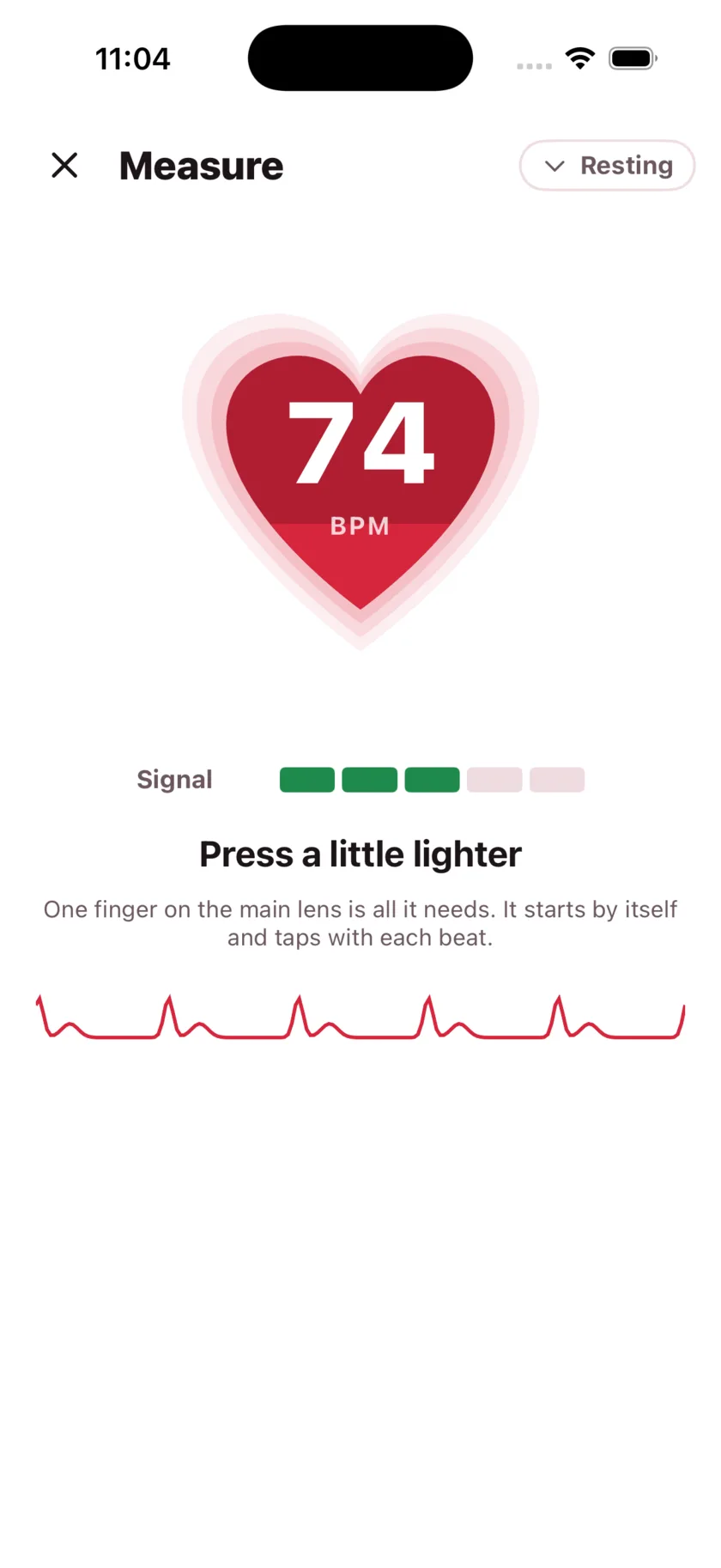
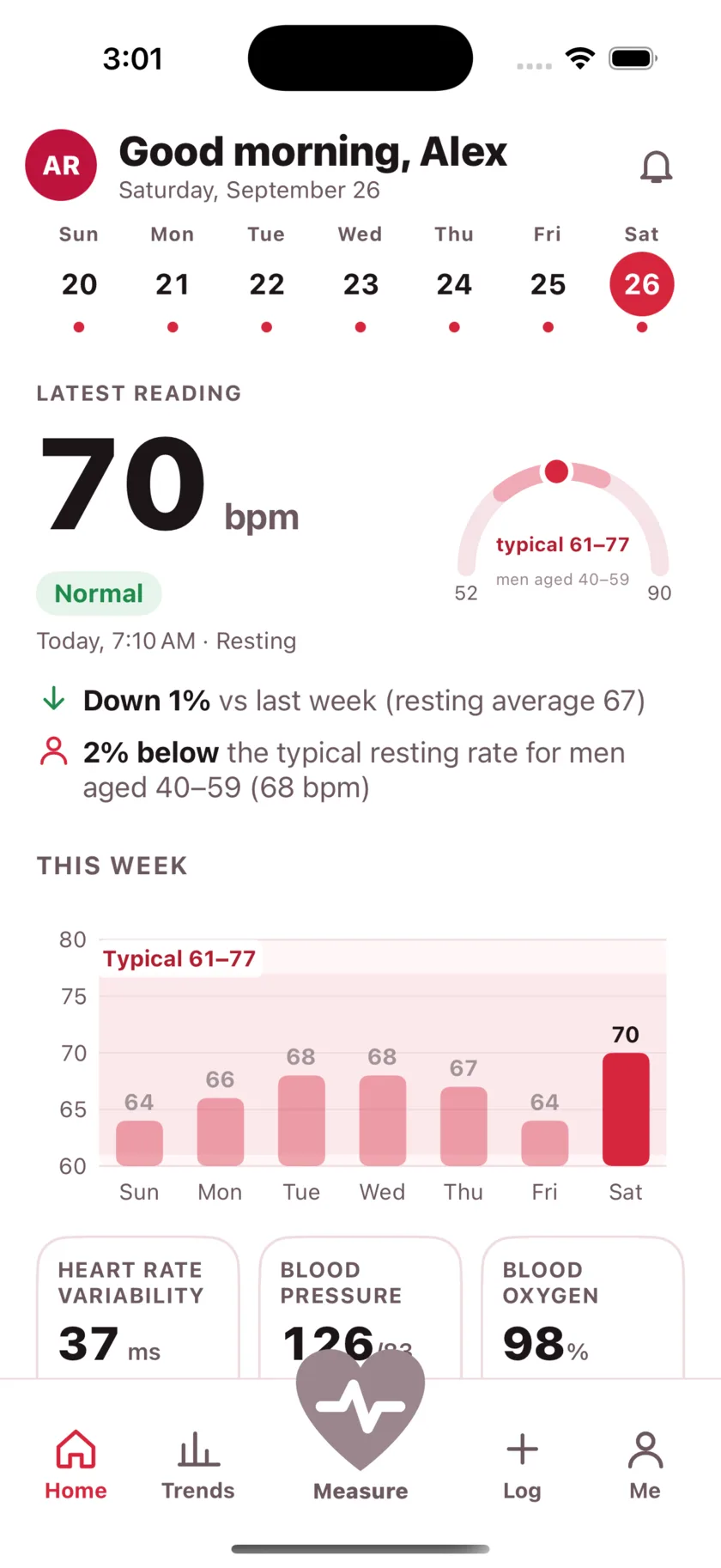
Thirty seconds, a fingertip, and the phone in your hand
Your camera can see the color of your fingertip change as blood moves through it. That is photoplethysmography — the same principle as the clip a nurse puts on your finger — running on hardware already in your pocket.
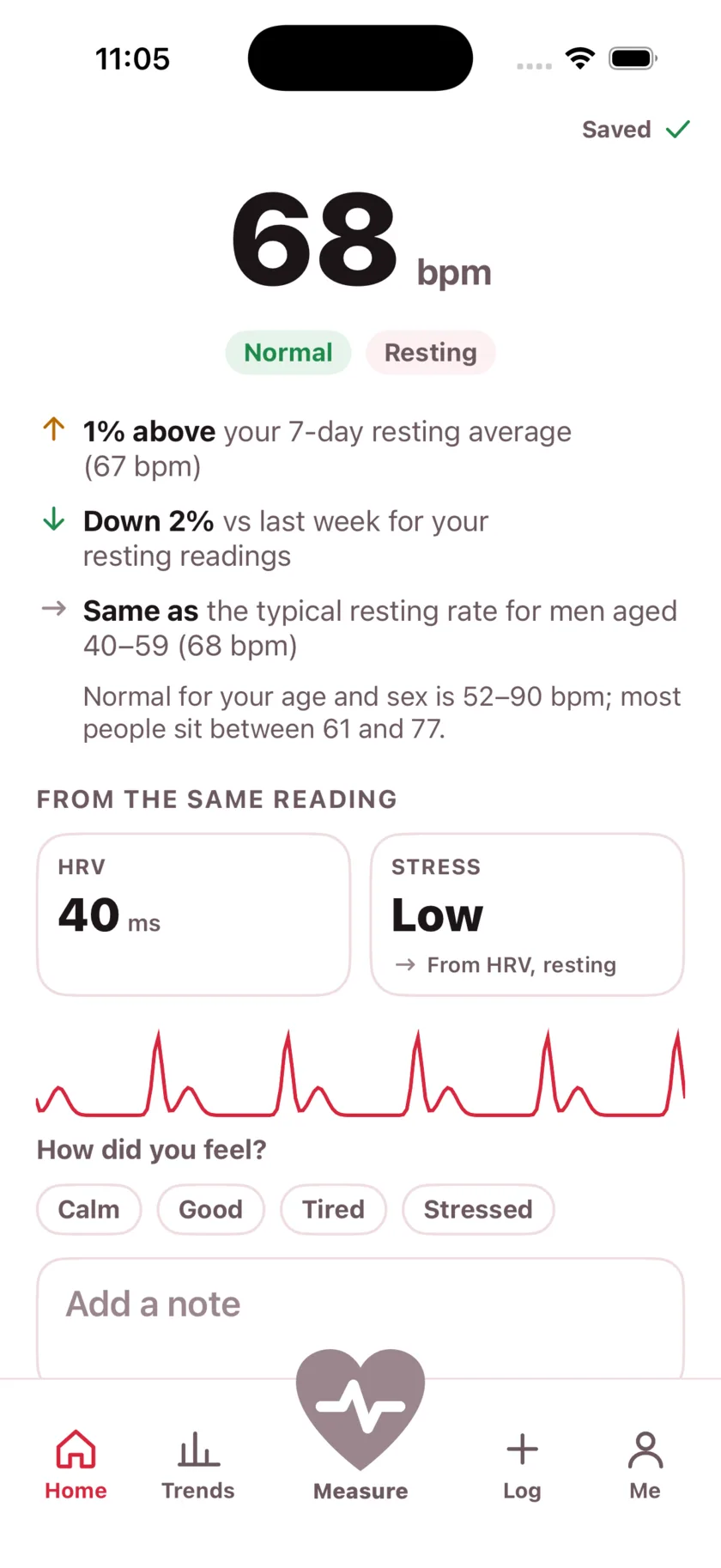
Rest a fingertip over the lens and the flash, sit still, and breathe normally. The heart on screen beats at the rate it is finding, so you can see it working before the number lands. Then it saves itself: your rate, your variability, and how today compares with your week.
A month from now you will know something you do not know today
Almost nobody can say what their resting heart rate does across a week, let alone what moves it. Thirty seconds a day is the whole commitment, and it turns "fine, I think" into something you can put in front of someone.
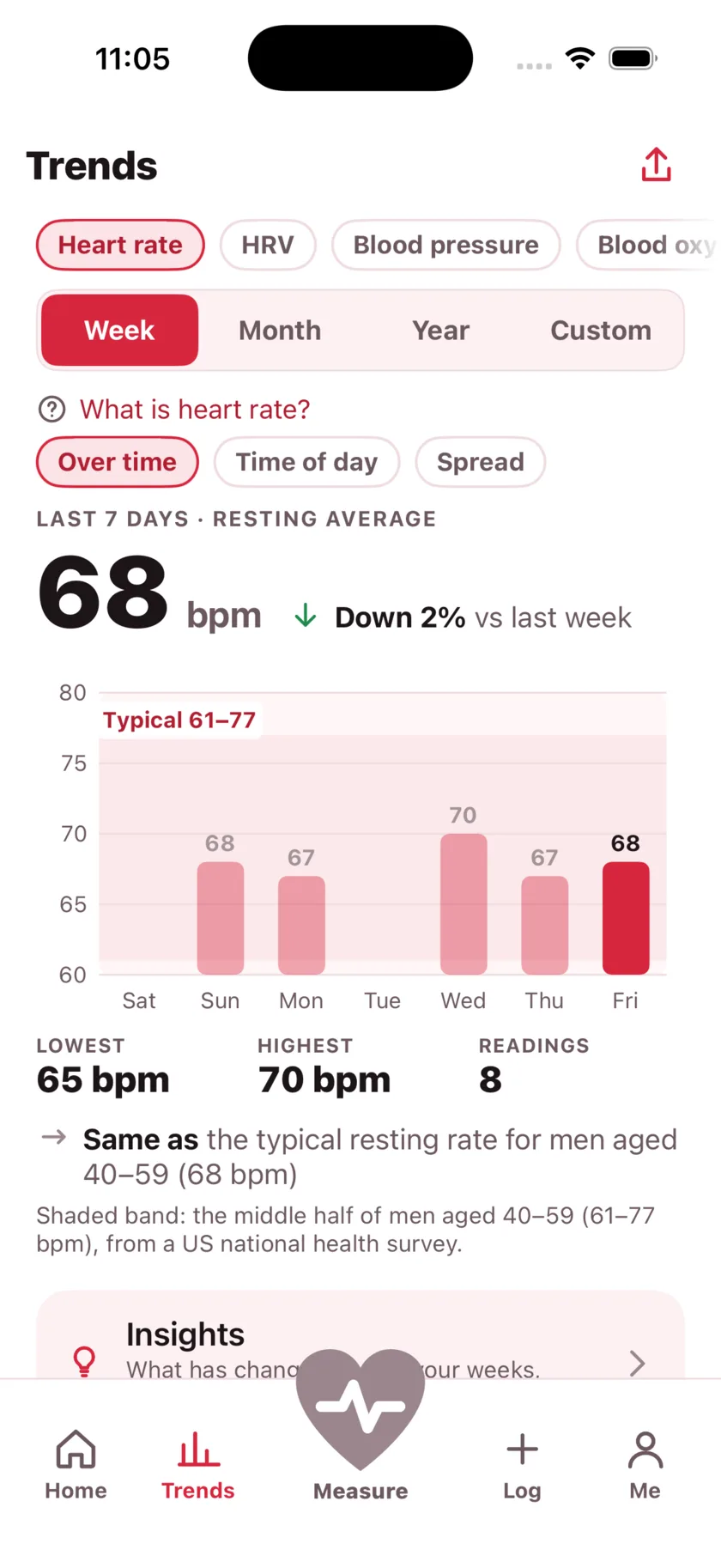
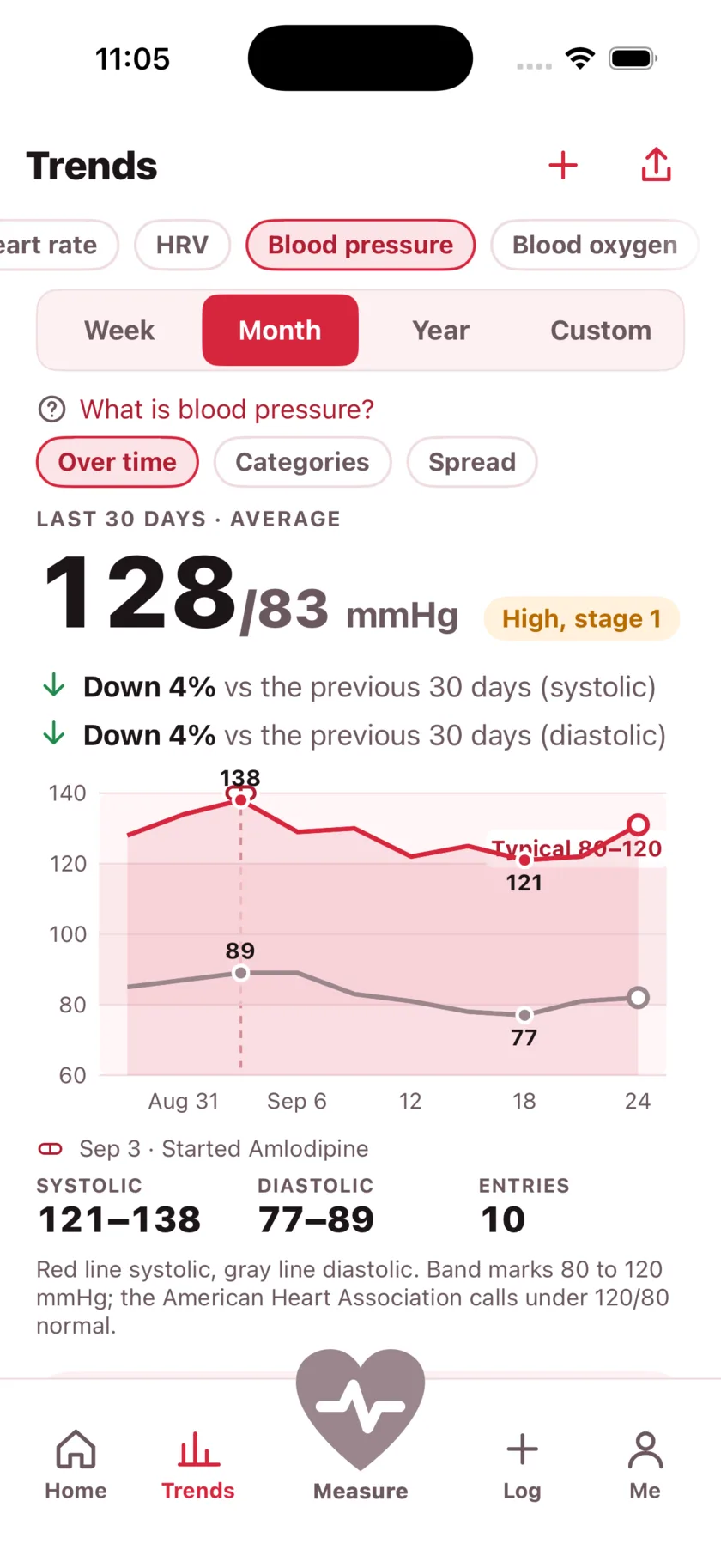
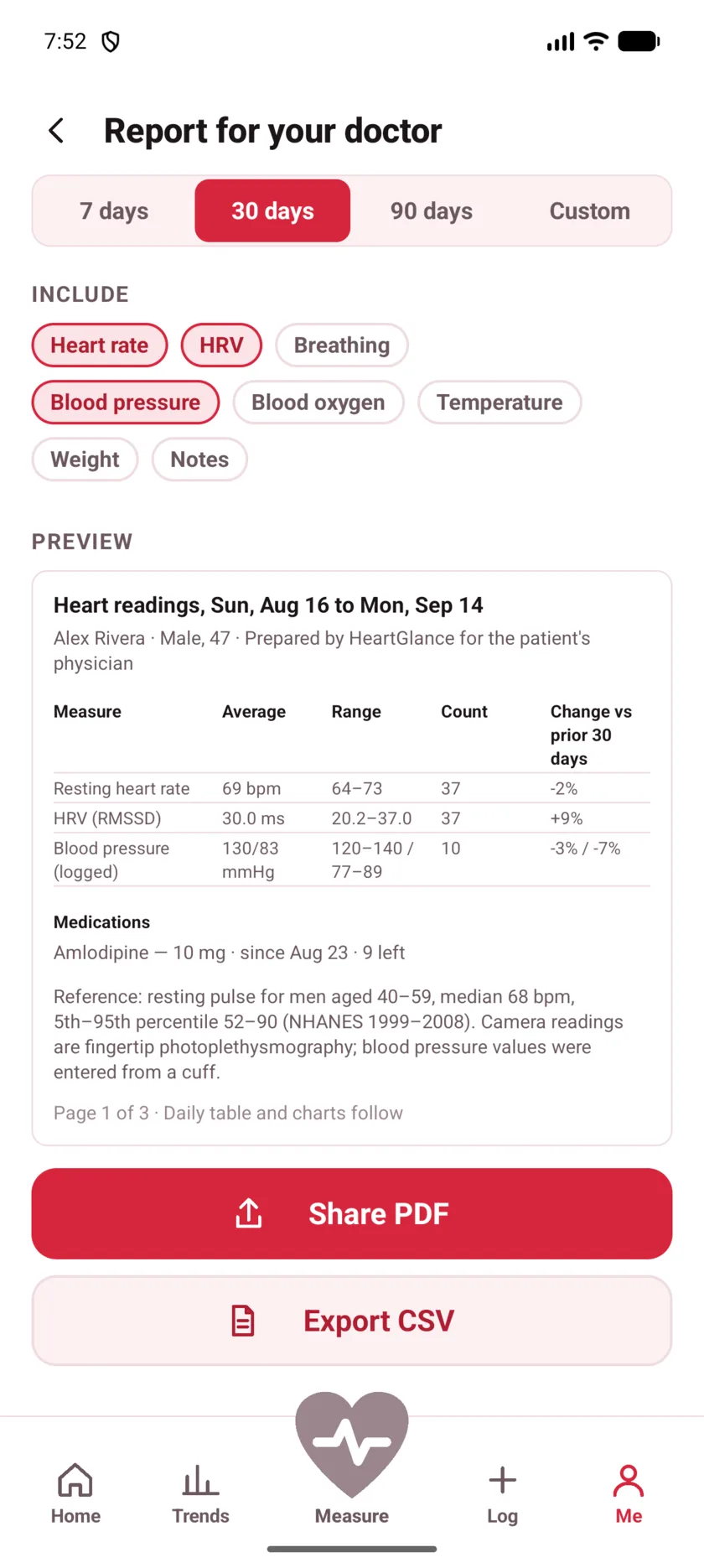
Walk in with the answer, not a guess.
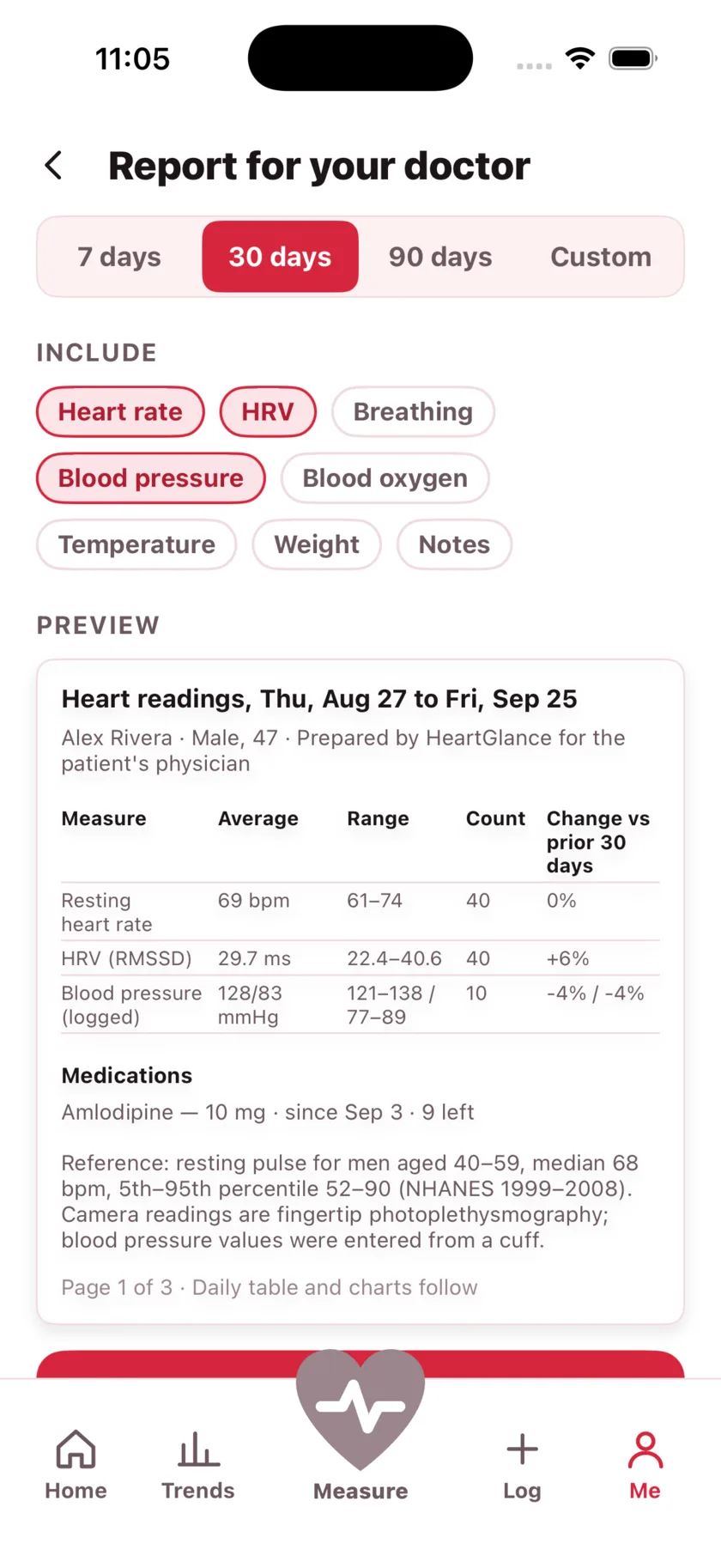
"And how has it been?" is how every appointment starts, and "fine, I think" is what most people have. Thirty seconds a day gives you a page instead: averages, ranges, how many days you recorded, what you were taking, and every number behind it.
- Any span you like, including since your last appointment
- A PDF to hand over, or a CSV to keep and plot yourself
- Reference ranges cited, so a clinician can check where they came from
- Notes you wrote on the day travel with the reading
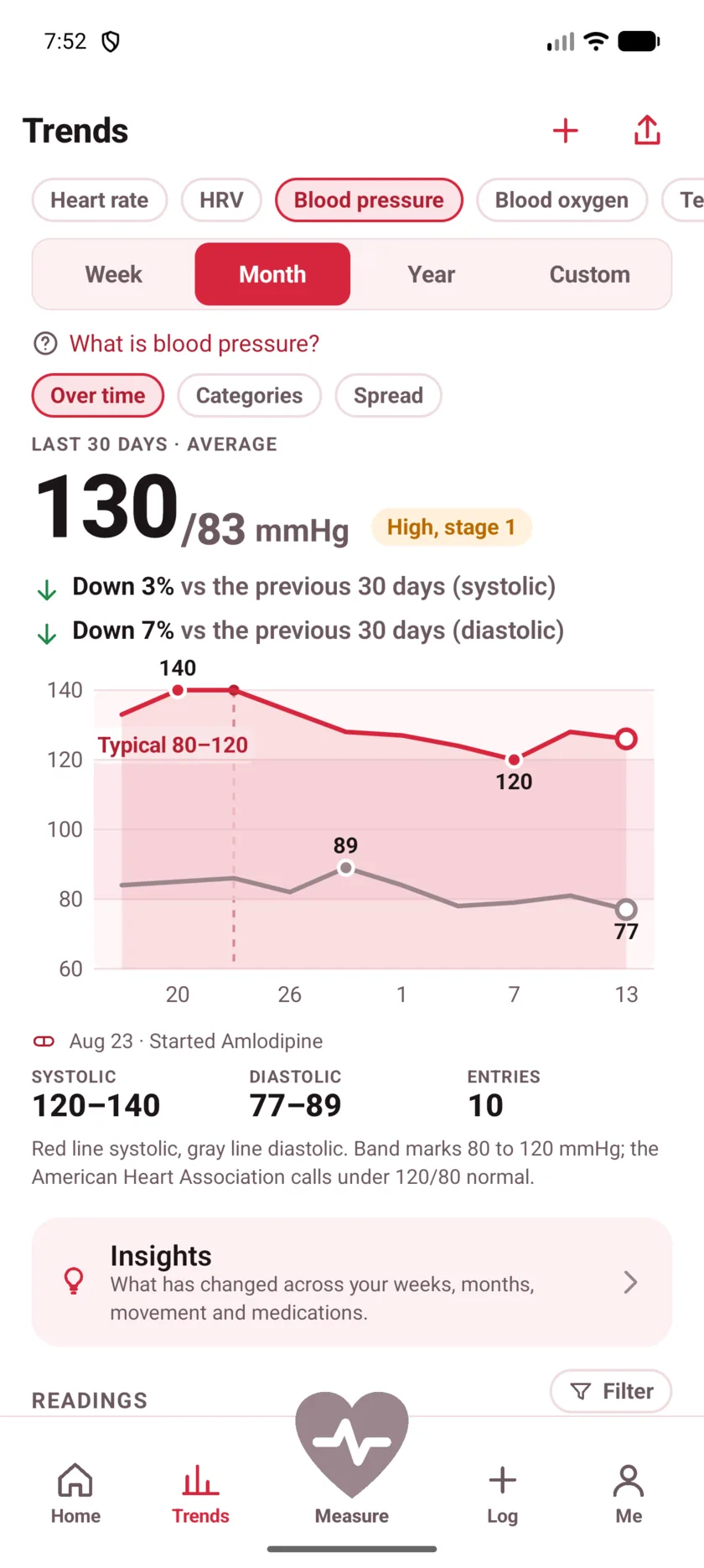
See what the new tablet actually did.
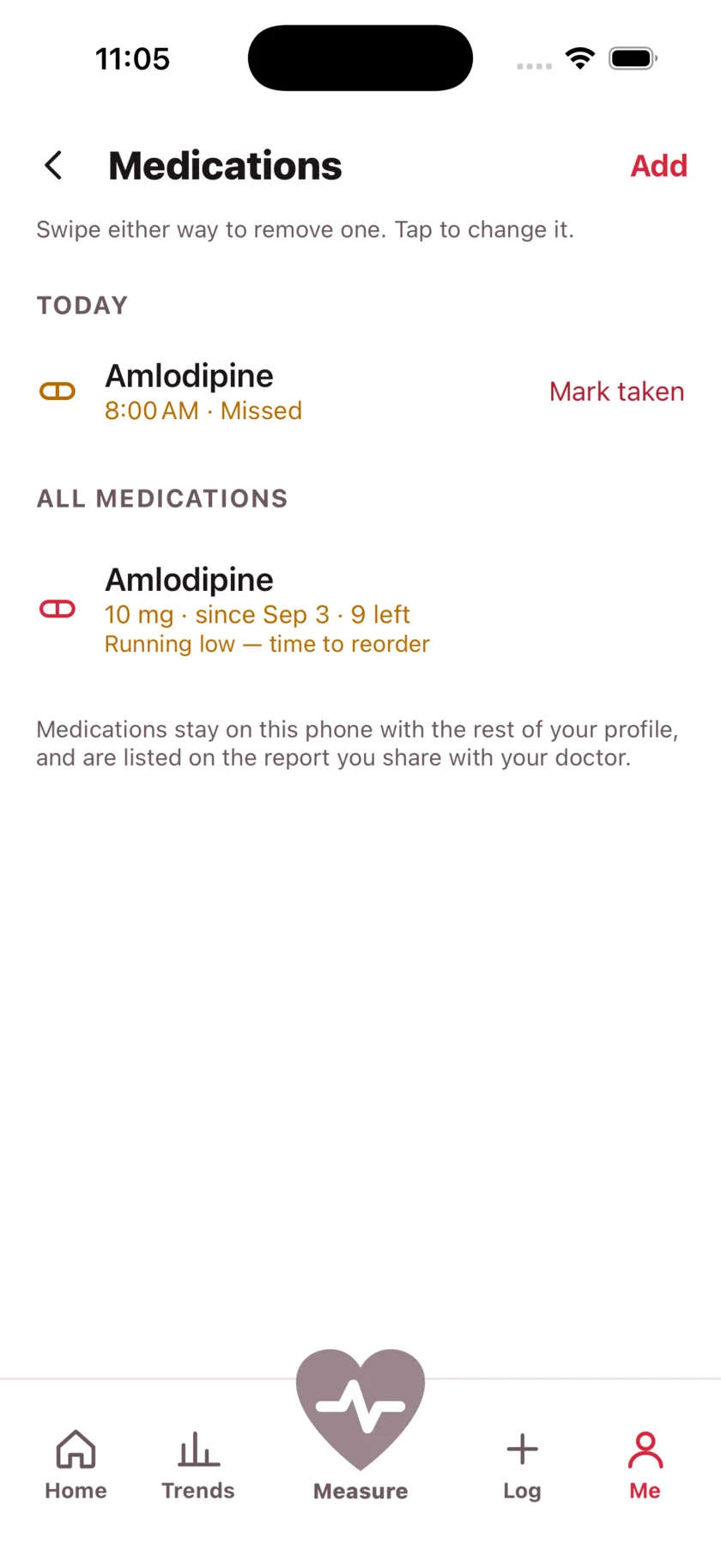
A dose changes and then you wait, with no way to tell whether anything moved. Record what you take and the day you started it, and the chart marks it — so a change in the numbers sits right next to the change in the treatment.
- Reminders at the times you pick, on the days you pick
- Missed doses stay visible instead of quietly vanishing
- Counts your pills and tells you before the packet runs out
- Everything you take is listed on the doctor's report
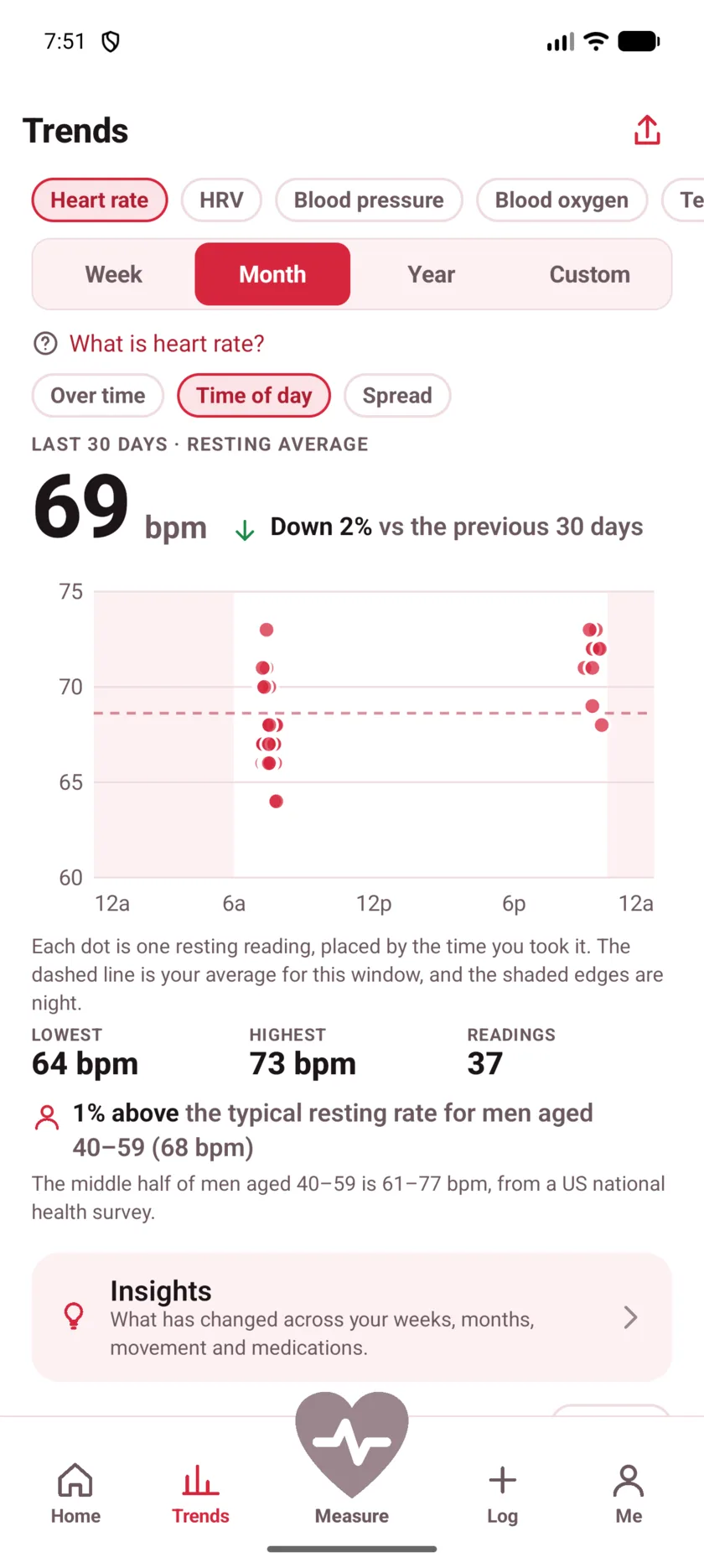
Catch the pattern while it is still small.
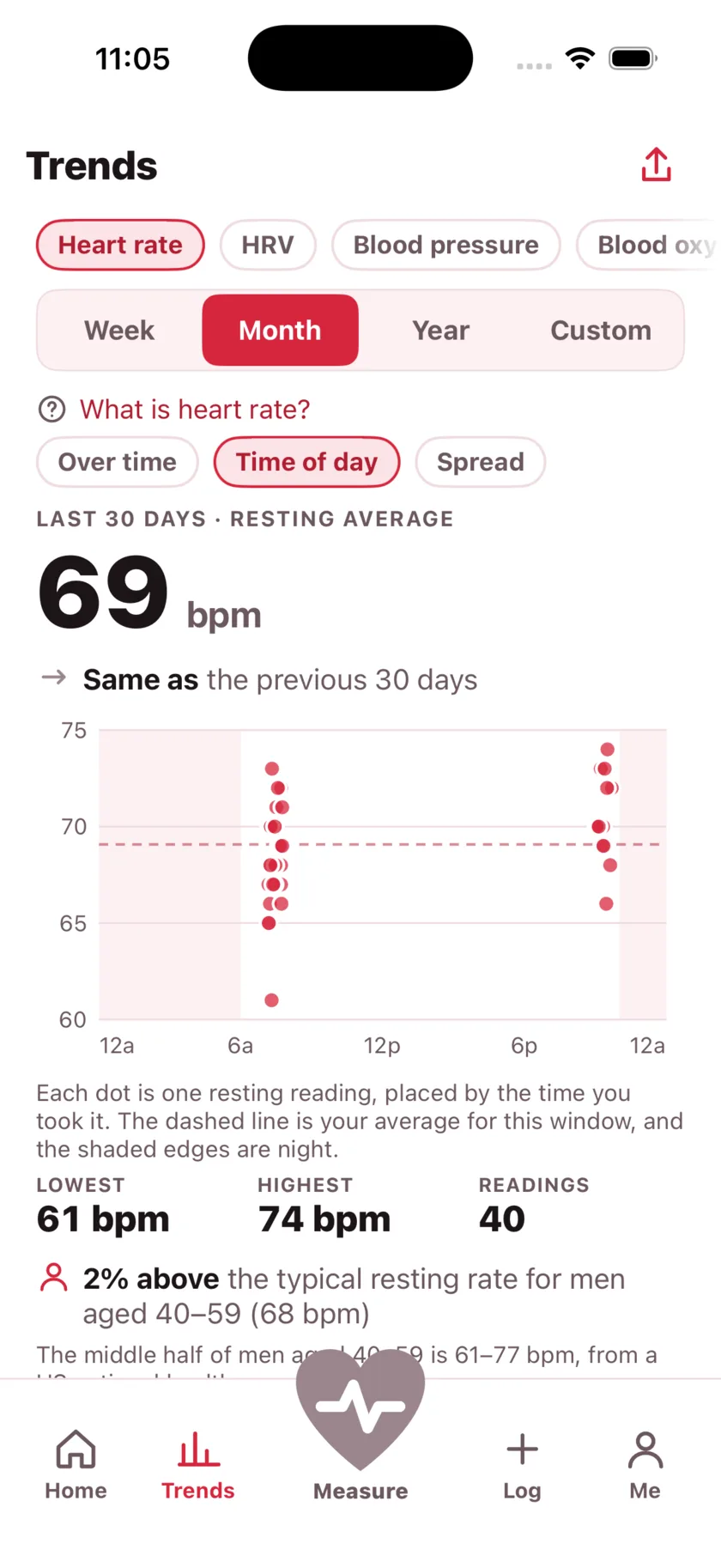
One reading is a fact. A month of them is information. HeartGlance shows the same numbers four ways, because the thing you need to notice is rarely visible in a single line.
- Over time — is this changing, and in which direction
- Time of day — whether your mornings and evenings are different people
- Spread — steady week or a wild one, which an average cannot tell you
- Against how you felt — calm, good, tired or stressed — tapped in one press on the reading itself
- Compared with published data for your own age and sex, not with athletes
Tell it when to speak up.
You choose the numbers, not us. Set a floor and a ceiling and a reading outside them gets a line on the result — naming the figure you picked, so it never reads as the app making a judgement of its own.
- Starts from the published range for your age, then it is yours to change
- No siren, no red screen, no notification you did not ask for
- Part of Premium — and your alert range stays yours, remembered whether or not you keep it
The one thing here that changes the number.
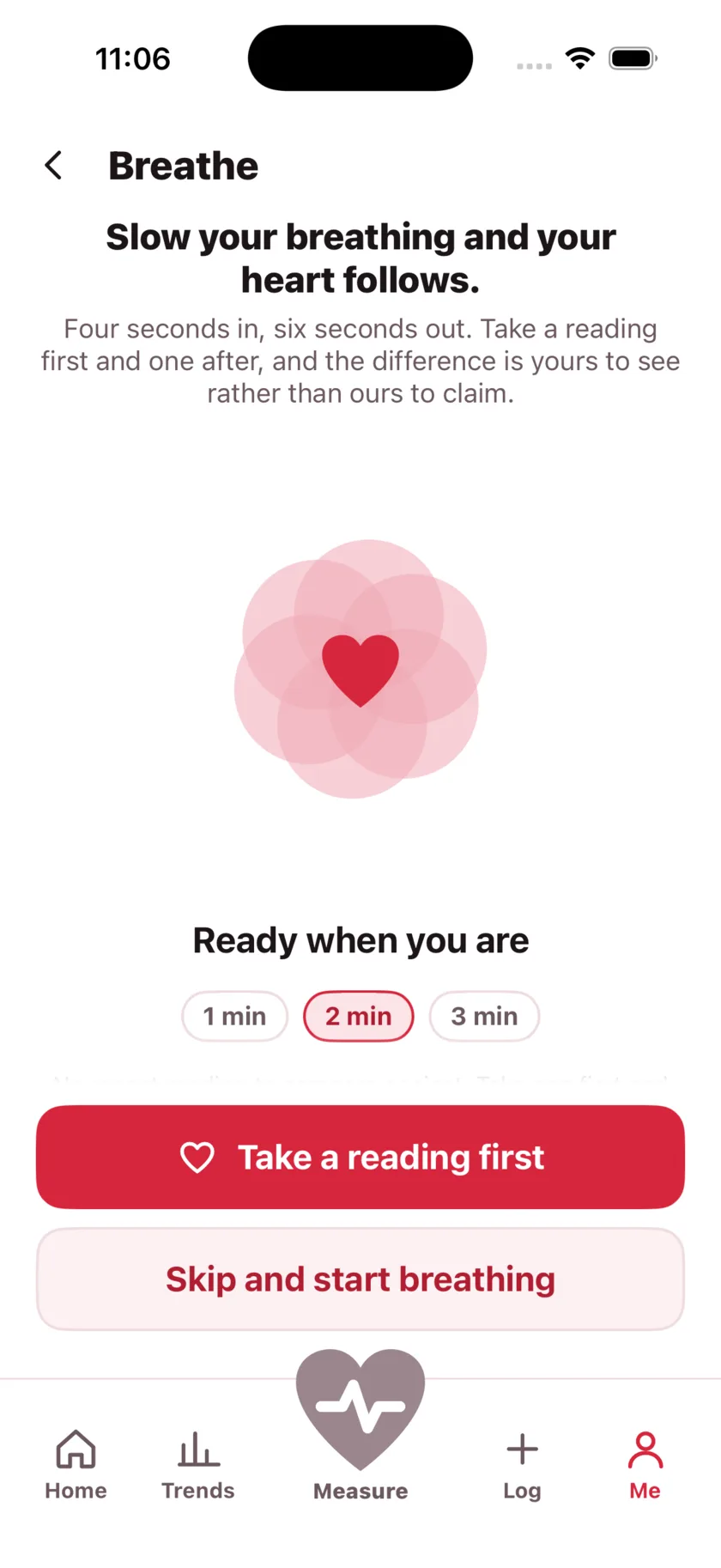
Everything else in this app tells you what your heart is doing. Breathe is the part that does something about it: four seconds in, six seconds out, for two minutes. Then take a reading, and the app puts it next to the one you started from.
- Slow breathing lowers a resting rate — this shows it happening to you
- The before and after sit side by side, so it is your evidence and not our claim
- Follow it from the lock screen and the Dynamic Island without keeping the app on screen
- Free, like every reading
On the screen you already look at.
A number you have to open an app to see is a number you check for a week. The widget puts your last reading on the home screen, with the week behind it and a button that starts a new one.
- Home screen and lock screen, on iPhone and Android
- Shows how the reading sits against the range for your age, not just the figure
- Updates the moment a reading is saved, not on a timer
- A watch-face complication on Apple Watch, and a quick settings tile on Android
On your wrist, when your phone is in the other room.
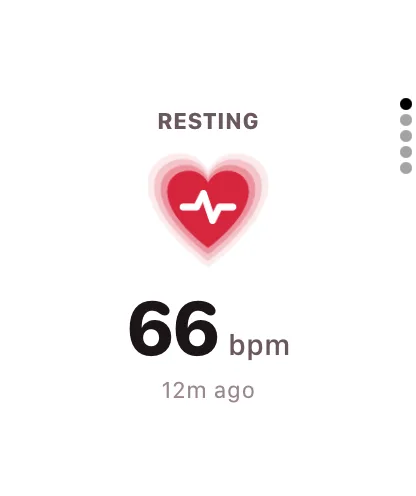
Apple Watch and Wear OS apps for the wrist. On Apple Watch: your latest heart rate, your week, your day, a minute of breathing, and a complication that puts the number on the face you are already at. On Wear OS: your last reading, and a new one that keeps going until you stop it.
- On Apple Watch, your week and your day at a glance, with your phone anywhere
- On Wear OS, watch it live through a walk, a run, or ten minutes in a waiting room
- A complication puts the number on the watch face you are already looking at
Your heart is nobody else's business
Not as a setting buried three screens deep — as the way it is built. Your readings are taken, worked out and stored on your phone, and nothing about your health leaves it unless you create an account and turn on backup and sync, which are two switches and both start off. No advertising, no data sold to anyone, and no account you are required to create. The app does send crash reports and which screens get opened, so that a bug can be found and fixed; it can never send a reading, and you can switch even that off in one tap.
- Every reading is worked out on the device and stored there
- Camera frames are never recorded and never uploaded
- Apple Health and Health Connect are optional, and off until you say so
- Delete the app and it all goes with it. Delete your account and the copy goes too
- Crash and usage reports carry no reading and no advertising identifier, and switch off
Measuring is free. It always will be
Readings are worked out on your phone and cost us nothing to serve, so they are unlimited and none of them is ever taken back — including if you stop paying. What premium buys is the layer built on top of them.
Free, with no account
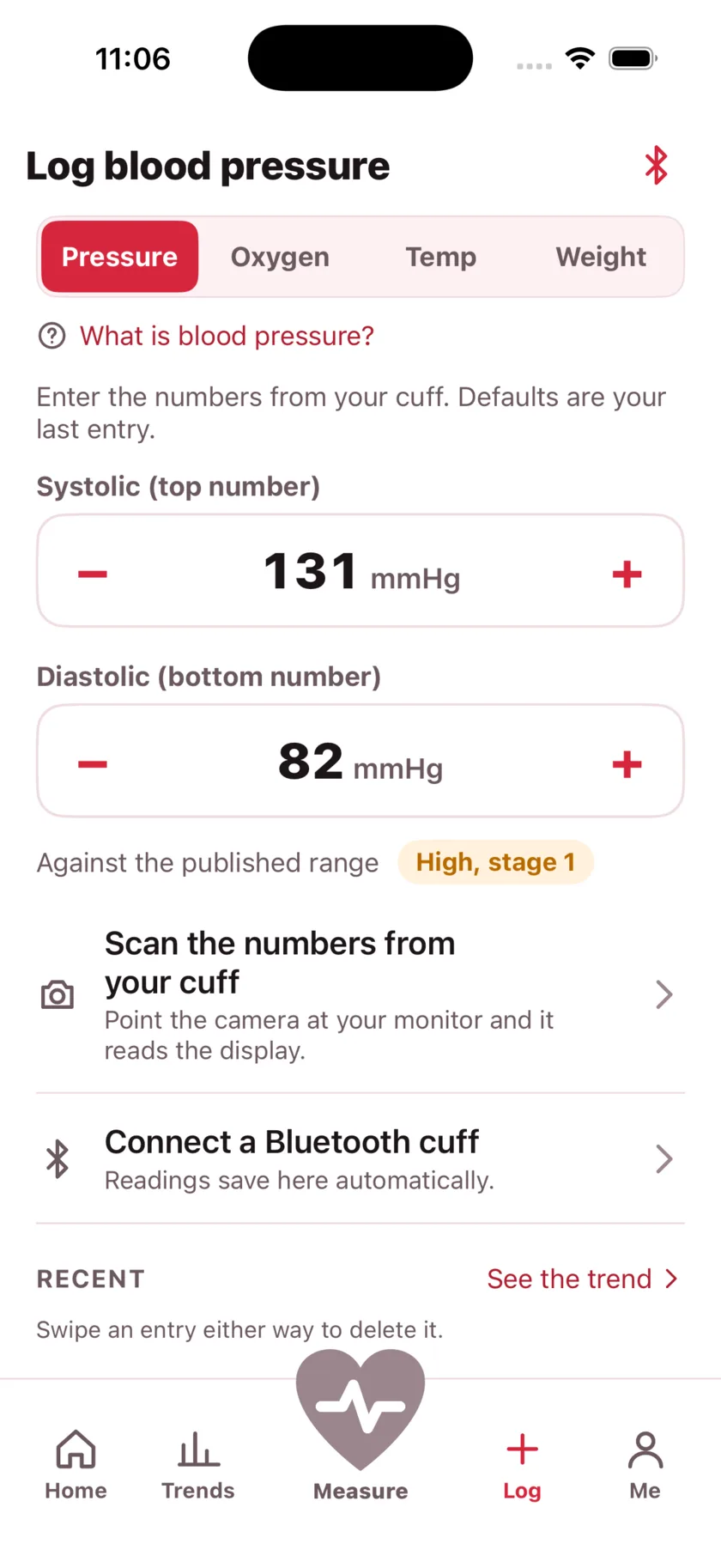
Unlimited readings, and the last 30 days to look back over. This week's trend. Blood pressure, oxygen, temperature and weight logging, and how you felt on each reading. A daily reminder. The doctor's report on screen. Apple Health and Health Connect sync.
One cuff scan a day with the camera, and typing the numbers in is never limited.
With Premium
Your whole history, however far back it goes. Month and year trends, and any date range you pick. The time-of-day and spread charts. Comparison against published data for your age and sex. Insights that say what changed in your own numbers — including how your rate reads on the days you felt one way or another. Medications, their reminders and their markers on your charts. High and low alerts on every reading. Backup and sync across your devices. Sharing the report as a PDF or a CSV.
Unlimited cuff scans
Nothing you have recorded is ever deleted, and nothing is held back from your export. A free account keeps every reading it has ever taken — the last 30 days are the part it can browse, and the rest is there the moment you subscribe, and still there if you stop.
Take your first reading today
iPhone, iOS 17 or later. Apple Watch included.